 resumeglobal
ATS Resume Builder (Free)
Build a clean ATS friendly resume that recruiters can read — and ATS can parse. Use templates, keyword guidance, and an ATS checker to apply with confidence.
Who this ATS resume builder is for
If you’re applying to companies that use applicant tracking systems, your formatting and keywords matter. ResumeGlobal helps you build an ATS-friendly resume that stays clean, readable, and easy to parse.
This is ideal for freshers, early-career professionals, and anyone switching roles who needs a practical workflow: select a template, add role keywords, validate with an ATS checker, and export.
How to make your resume ATS-friendly
Pick a clean ATS-friendly template
Start with a template that uses standard headings and a clean hierarchy. A good ATS resume builder avoids decorative elements that interrupt text extraction. If you’re applying broadly (internships + jobs), a simple single-column template is a safe default and makes recruiter scanning faster.
Use standard section titles and consistent dates
ATS systems look for recognizable section names like Summary, Experience, Projects, Education, and Skills. Keep your job titles, company names, locations, and dates consistent. This reduces parsing errors and improves your chances of being ranked correctly for the role.
Match keywords from the job description
Copy the job description into a notes doc and highlight skills, tools, and responsibilities. Add the keywords you truly have experience with to your Skills section, then prove them inside bullets (e.g., “Built X using React + Node, reduced load time by 30%”). This creates a natural keyword match.
Write achievement-style bullets
Replace vague responsibilities with achievements: what you did, how you did it, and the outcome. Include numbers (%, time saved, users, ₹ revenue) where possible. This not only improves ATS relevance, but also helps recruiters quickly see your impact.
Validate with an ATS checker and export
Before you apply, run an ATS check to spot missing keywords and formatting issues. Export as PDF for most applications, and use plain text if you’re applying to older systems. Use DOCX only when requested. This workflow makes your ATS friendly resume consistent across platforms.
ATS-friendly resume templates
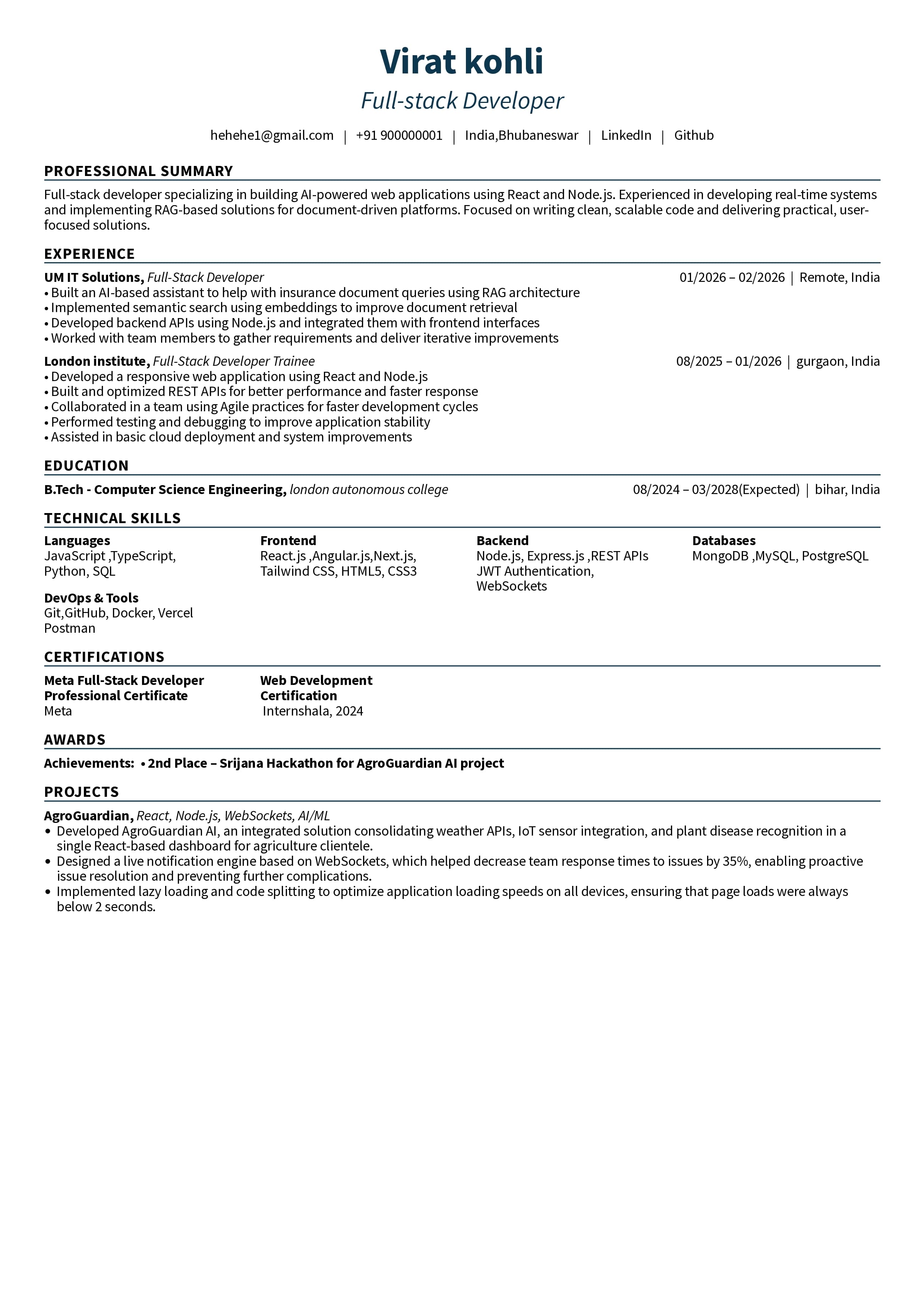
Clean Professional — Minimalist
Minimal layout with clean headings — built for strong ATS parsing.
Use This Template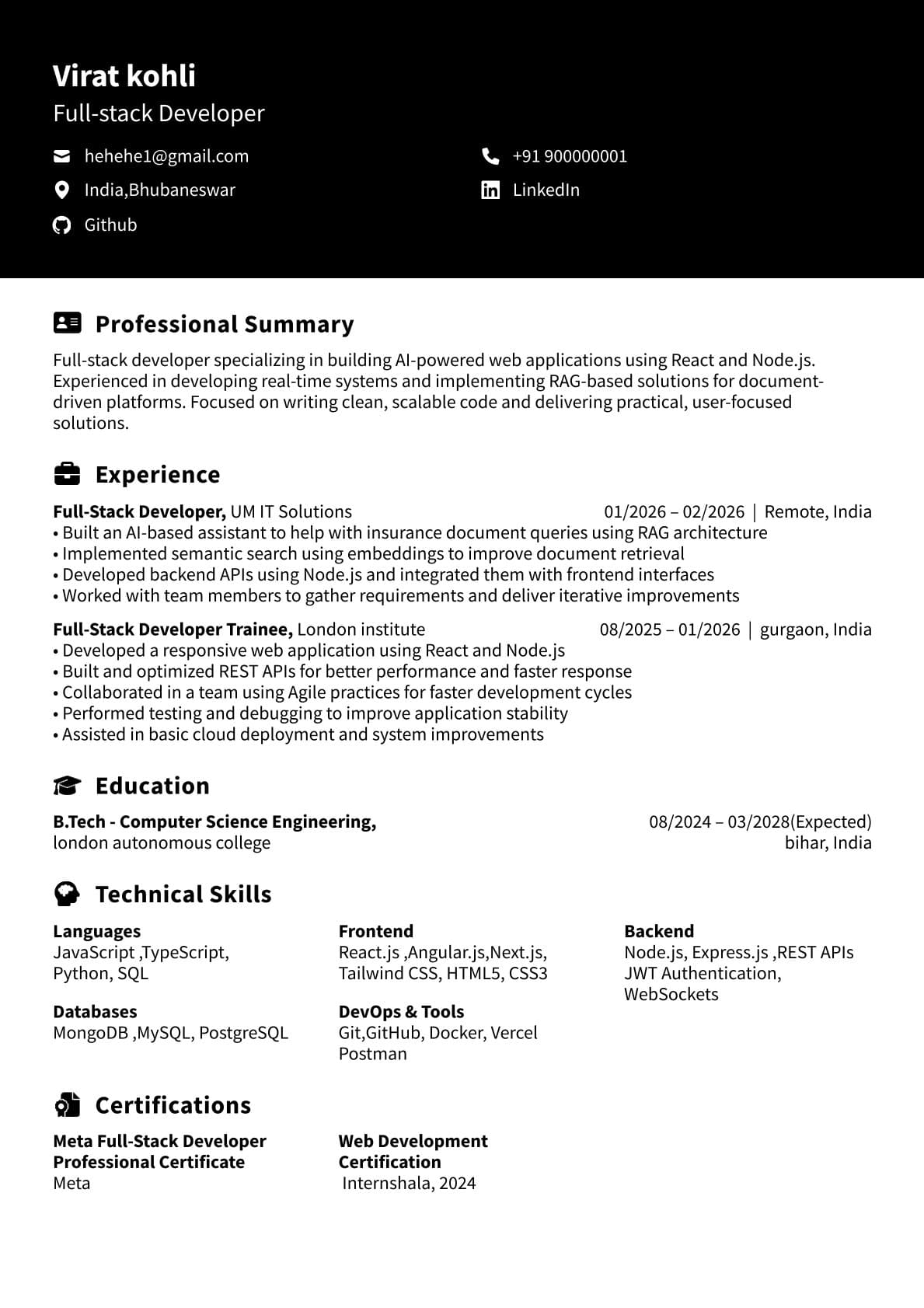
Dark Header — Executive
Professional look with careful structure — modern but still ATS-friendly.
Use This Template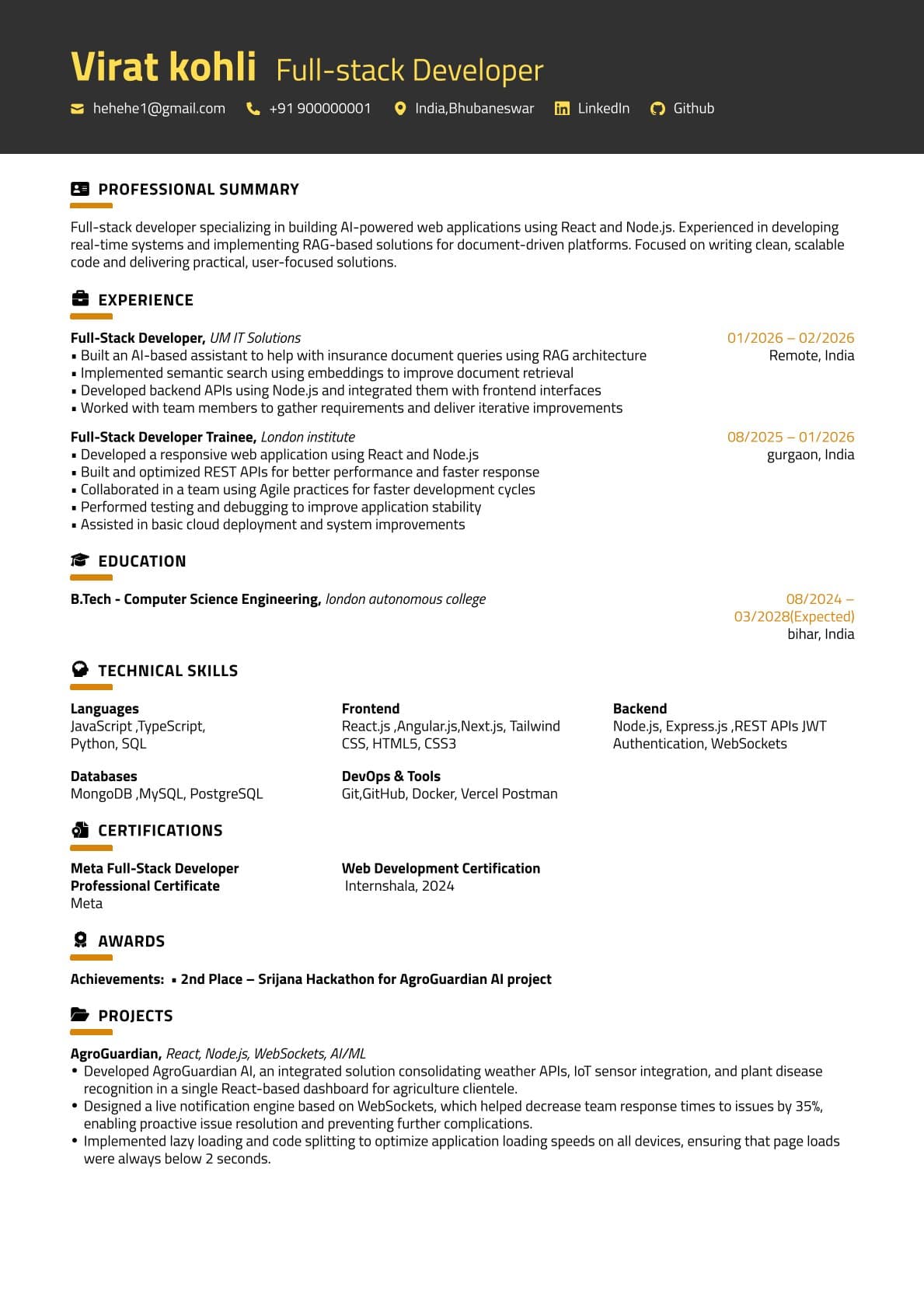
Gold Banner — Single Column
Great for freshers and early-career resumes where scanning matters.
Use This TemplateBenefits of ResumeGlobal for ATS
Cleaner structure = fewer parsing errors
Consistent headings, spacing, and dates reduce ATS confusion and improve readability for recruiters.
Keyword feedback loop
Use the ATS checker to catch missing role keywords and improve alignment before you apply.
AI assistance for stronger bullets
Rewrite bullets into achievement statements that read well and match recruiter expectations.
Export formats for different ATS
Download as PDF for standard applications and keep compatibility options when needed.
Why choose our ATS resume builder over other resume builders
| Feature | ResumeGlobal | Typical Builder |
|---|---|---|
| Parsing-safe templates | Designed for ATS readability | Often design-heavy |
| Keyword checks | ATS checker built in | Usually manual |
| Bullet improvement | AI assist + structure | Basic tips only |
| Workflow | Build → Check → Fix → Export | Build → Export (no feedback) |
FAQs
What makes a resume ATS-friendly?
Standard headings (Summary, Experience, Education, Skills), consistent dates, simple layout, and role keywords written naturally. Avoid heavy graphics, tables, and icons that can confuse ATS parsing.
Does ResumeGlobal support ATS keyword checks?
Yes. Use our ATS Checker to see missing keywords, weaknesses, and improvements for your target role.
Is a one-page resume okay for ATS?
Usually yes — especially for freshers and 0–5 years experience. Prioritize relevance and outcomes, not length.
Which format is best for ATS: PDF, DOCX, or text?
Plain text is maximum compatibility. PDF is commonly accepted and looks consistent. Use DOCX when a recruiter specifically asks for an editable Word file.
Should I use a two-column resume for ATS?
If you’re unsure, use a clean single-column template. Many ATS handle columns better now, but single-column is still the safest option.
How do I add keywords without stuffing?
Mirror the job description using real skills/tools you used, add them in your Skills section, and reference them in experience/project bullets with outcomes.
Do templates matter for ATS?
Yes. A template affects parsing. Pick clean headings, consistent spacing, and avoid design elements that break text extraction.
Can I import my existing resume and make it ATS-friendly?
Yes. Import your resume and quickly switch to an ATS-friendly template, then adjust headings and keywords.
What is the best free ATS-friendly resume template checker?
Use a checker that flags missing keywords and formatting issues, then lets you fix them quickly. ResumeGlobal pairs clean ATS templates with an ATS checker, so you can build, validate, and download in one workflow.
Is there a free ATS-friendly resume template for freshers?
Yes. Freshers should use a clean one-page template with standard headings and project-first layout. You can start with a free template and tailor keywords for each job description.
Which ATS resume template is best for software engineers?
A project-first, single-column template with clear Skills and Projects sections is usually best. It keeps tech keywords readable for ATS and makes recruiter scanning fast.
Where can I find ATS-friendly resume templates as a student?
You can browse ATS-friendly templates on the templates page, then build a student-focused resume in the editor and validate it with an ATS check before downloading.
Build an ATS-friendly resume now
Choose a clean template, add role keywords, validate with the ATS checker, and download your resume.